








AutoCAD 2021: A Power Guide for Beginners and Intermediate Users
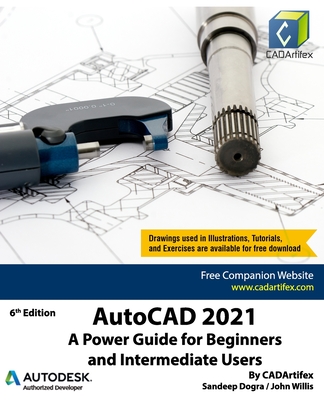
AutoCAD 2021: A Power Guide for Beginners and Intermediate Users
AutoCAD 2021: A Power Guide for Beginners and Intermediate Users textbook is designed for instructor-led courses as well as for self-paced learning. It is intended to help engineers, designers, and CAD operators interested in learning AutoCAD for creating 2D engineering drawings as well as 3D Models. This textbook is a great help for new AutoCAD users and a great teaching aid for classroom training. This textbook consists of 13 chapters, and a total of 556 pages covering major workspaces of AutoCAD such as Drafting & Annotation and 3D Modeling. This textbook teaches you to use AutoCAD software for creating, editing, plotting, and managing real world 2D engineering drawings and 3D Models. This textbook not only focuses on the usage of the tools/commands of AutoCAD but also on the concept of design. Every chapter of this textbook contains tutorials that provide users with step-by-step instructions on how to create mechanical designs and drawings with ease. Moreover, every chapter ends with hands-on test drives which allow users to experience themselves the user friendly and powerful capabilities of AutoCAD. Table of Contents:
Chapter 1. Introduction to AutoCAD
Chapter 2. Creating Drawings - I
Chapter 3. Working with Drawing Aids and Layers
Chapter 4. Creating Drawings - II
Chapter 5. Modifying and Editing Drawings - I
Chapter 6. Working with Dimensions and Dimensions Style
Chapter 7. Editing Dimensions and Adding Text
Chapter 8. Modifying and Editing Drawings - II
Chapter 9. Hatching and Gradients
Chapter 10. Working with Blocks and Xrefs
Chapter 11. Working with Layouts
Chapter 12. Printing and Plotting
Chapter 13. Introducing 3D Basics and Creating 3D Models Main Features of the Textbook
PRP: 228.63 Lei

Acesta este Prețul Recomandat de Producător. Prețul de vânzare al produsului este afișat mai jos.
182.90Lei
182.90Lei
228.63 LeiPrimești 182 puncte

Livrare in 2-4 saptamani
Descrierea produsului
AutoCAD 2021: A Power Guide for Beginners and Intermediate Users textbook is designed for instructor-led courses as well as for self-paced learning. It is intended to help engineers, designers, and CAD operators interested in learning AutoCAD for creating 2D engineering drawings as well as 3D Models. This textbook is a great help for new AutoCAD users and a great teaching aid for classroom training. This textbook consists of 13 chapters, and a total of 556 pages covering major workspaces of AutoCAD such as Drafting & Annotation and 3D Modeling. This textbook teaches you to use AutoCAD software for creating, editing, plotting, and managing real world 2D engineering drawings and 3D Models. This textbook not only focuses on the usage of the tools/commands of AutoCAD but also on the concept of design. Every chapter of this textbook contains tutorials that provide users with step-by-step instructions on how to create mechanical designs and drawings with ease. Moreover, every chapter ends with hands-on test drives which allow users to experience themselves the user friendly and powerful capabilities of AutoCAD. Table of Contents:
Chapter 1. Introduction to AutoCAD
Chapter 2. Creating Drawings - I
Chapter 3. Working with Drawing Aids and Layers
Chapter 4. Creating Drawings - II
Chapter 5. Modifying and Editing Drawings - I
Chapter 6. Working with Dimensions and Dimensions Style
Chapter 7. Editing Dimensions and Adding Text
Chapter 8. Modifying and Editing Drawings - II
Chapter 9. Hatching and Gradients
Chapter 10. Working with Blocks and Xrefs
Chapter 11. Working with Layouts
Chapter 12. Printing and Plotting
Chapter 13. Introducing 3D Basics and Creating 3D Models Main Features of the Textbook
Detaliile produsului