



- /
- Librarie online
- /
- Carti in engleza
- /
- Computers
- /
- Cad-cam
- /
- Beginning Autocad(r) 2024 Exercise Workbook - Cheryl R. Shrock
Beginning Autocad(r) 2024 Exercise Workbook
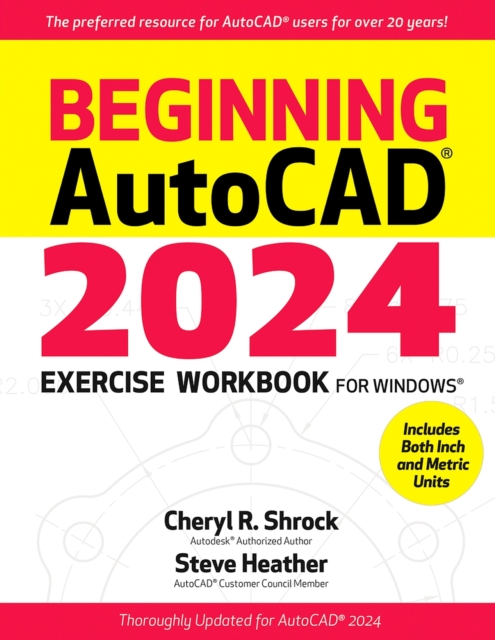
Beginning Autocad(r) 2024 Exercise Workbook
For more than 20 years, AutoCAD(R) students, instructors, and professionals have relied on the AutoCAD Exercise Workbooks to develop and hone their use of this incredibly versatile program. Whether you are a complete beginner, seeking to improve your 2D drawing capabilities, or just interested in learning about the latest updates, the bestselling Beginning AutoCAD(R) 2024 Exercise Workbook is the perfect resource. With clear explanations, step-by-step instructions, inside tips, and numerous exercises, these AutoCAD experts help users make real progress in their drawing capabilities. For easy entry into working with drawing commands, users can download preset drawing templates from the provided link, or by visiting Industrial Press's print or eBook website product pages.
The new AutoCAD 2024 software builds on the features of previous releases. Improvements include a reinvented icon on the main menus, and revisions of the Shared Views Palette, making it easier than ever to collaborate with colleagues on AutoCAD projects. The new Automatic Block Placement Tool assists with positioning of commonly used blocks, facilitating quick and precise creation of detailed layouts.
New and/or Improved Features in Beginning AutoCAD 2024:
The new AutoCAD 2024 software builds on the features of previous releases. Improvements include a reinvented icon on the main menus, and revisions of the Shared Views Palette, making it easier than ever to collaborate with colleagues on AutoCAD projects. The new Automatic Block Placement Tool assists with positioning of commonly used blocks, facilitating quick and precise creation of detailed layouts.
New and/or Improved Features in Beginning AutoCAD 2024:
- Automatic Block Placement Tool -- This new capability assists with quickly positioning and inserting a new block into a drawing by providing placement suggestions, based on existing blocks of the same type that have already been inserted into the drawing. (Included in Lesson 29)
- Shared Views Palette-- The design of this important tool set, intentionally created to facilitate seamless communication and collaboration on drawings, has been subtly streamlined for this latest edition. (Included in Lesson 30)
- Global AutoCAD 2024 Updates-- New illustrations and detailed explanations and instructions throughout this new Exercise Workbook reflect the very latest in AutoCAD tools, dialog boxes, and other key elements.
PRP: 658.36 Lei

Acesta este Prețul Recomandat de Producător. Prețul de vânzare al produsului este afișat mai jos.
592.52Lei
592.52Lei
658.36 LeiPrimești 592 puncte

Livrare in 2-4 saptamani
Descrierea produsului
For more than 20 years, AutoCAD(R) students, instructors, and professionals have relied on the AutoCAD Exercise Workbooks to develop and hone their use of this incredibly versatile program. Whether you are a complete beginner, seeking to improve your 2D drawing capabilities, or just interested in learning about the latest updates, the bestselling Beginning AutoCAD(R) 2024 Exercise Workbook is the perfect resource. With clear explanations, step-by-step instructions, inside tips, and numerous exercises, these AutoCAD experts help users make real progress in their drawing capabilities. For easy entry into working with drawing commands, users can download preset drawing templates from the provided link, or by visiting Industrial Press's print or eBook website product pages.
The new AutoCAD 2024 software builds on the features of previous releases. Improvements include a reinvented icon on the main menus, and revisions of the Shared Views Palette, making it easier than ever to collaborate with colleagues on AutoCAD projects. The new Automatic Block Placement Tool assists with positioning of commonly used blocks, facilitating quick and precise creation of detailed layouts.
New and/or Improved Features in Beginning AutoCAD 2024:
The new AutoCAD 2024 software builds on the features of previous releases. Improvements include a reinvented icon on the main menus, and revisions of the Shared Views Palette, making it easier than ever to collaborate with colleagues on AutoCAD projects. The new Automatic Block Placement Tool assists with positioning of commonly used blocks, facilitating quick and precise creation of detailed layouts.
New and/or Improved Features in Beginning AutoCAD 2024:
- Automatic Block Placement Tool -- This new capability assists with quickly positioning and inserting a new block into a drawing by providing placement suggestions, based on existing blocks of the same type that have already been inserted into the drawing. (Included in Lesson 29)
- Shared Views Palette-- The design of this important tool set, intentionally created to facilitate seamless communication and collaboration on drawings, has been subtly streamlined for this latest edition. (Included in Lesson 30)
- Global AutoCAD 2024 Updates-- New illustrations and detailed explanations and instructions throughout this new Exercise Workbook reflect the very latest in AutoCAD tools, dialog boxes, and other key elements.
Detaliile produsului