








Exploring Windows 10 May 2020 Edition: The Illustrated, Practical Guide to Using Microsoft Windows
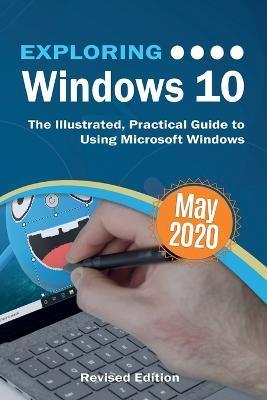
Exploring Windows 10 May 2020 Edition: The Illustrated, Practical Guide to Using Microsoft Windows
Updated to cover the May 2020 Update, also known as Version 2004 and 20H1. Exploring Windows 10 is the essential guide for those who want to get to grips with the fundamentals of Microsoft Windows 10. Written in a clear and practical way using illustrations, screenshots, video demos, and easy to follow instructions, Exploring Windows 10 will help you:
- Install or upgrade to Windows 10 May 2020 update
- Master the key features of Windows 10
- Find your way around the Desktop, Start Menu, and the Taskbar
- Organise your files with File Explorer
- Learn about external drives, flash drives, and memory cards
- Learn to use Action Centre, Timeline, and Cloud Clipboard
- Search the web with the Microsoft Edge Browser
- Keep in touch using email and skype video chat
- Organise, enhance, and share your photos with the Photos App
- Create home movies with your video clips, photos 3D models, effects, and music to share with friends
- Have fun with 3D models and Paint 3D
- Listen to your favourite music with Spotify and Groove Music App
- Learn how to watch your favourite TV programs and films using the Films & TV App
- Play your DVD collection on your PC
- Learn about apps, find and download them
- Understand how Cloud storage with OneDrive works, and use it for free storage and sharing files
- Try out the new Cortana experience, the voice-activated Personal Digital Assistant who can perform searches on your computer or the web, and actions like opening apps or documents, or setting reminders. As well as a new chat style feature.
- Use the Cloud Restore feature
- And a whole lot more...
In addition, you will learn how to make the most of the new features of Windows 10 with clear explanations and video demos to help you along the way. Finally, maintenance tips to help you keep your PC running smoothly complete this invaluable guide. You'll want to keep this edition handy as you make your way around the new OS.
PRP: 247.92 Lei

Acesta este Prețul Recomandat de Producător. Prețul de vânzare al produsului este afișat mai jos.
223.13Lei
223.13Lei
247.92 LeiPrimești 223 puncte

Livrare in 2-4 saptamani
Descrierea produsului
Updated to cover the May 2020 Update, also known as Version 2004 and 20H1. Exploring Windows 10 is the essential guide for those who want to get to grips with the fundamentals of Microsoft Windows 10. Written in a clear and practical way using illustrations, screenshots, video demos, and easy to follow instructions, Exploring Windows 10 will help you:
- Install or upgrade to Windows 10 May 2020 update
- Master the key features of Windows 10
- Find your way around the Desktop, Start Menu, and the Taskbar
- Organise your files with File Explorer
- Learn about external drives, flash drives, and memory cards
- Learn to use Action Centre, Timeline, and Cloud Clipboard
- Search the web with the Microsoft Edge Browser
- Keep in touch using email and skype video chat
- Organise, enhance, and share your photos with the Photos App
- Create home movies with your video clips, photos 3D models, effects, and music to share with friends
- Have fun with 3D models and Paint 3D
- Listen to your favourite music with Spotify and Groove Music App
- Learn how to watch your favourite TV programs and films using the Films & TV App
- Play your DVD collection on your PC
- Learn about apps, find and download them
- Understand how Cloud storage with OneDrive works, and use it for free storage and sharing files
- Try out the new Cortana experience, the voice-activated Personal Digital Assistant who can perform searches on your computer or the web, and actions like opening apps or documents, or setting reminders. As well as a new chat style feature.
- Use the Cloud Restore feature
- And a whole lot more...
In addition, you will learn how to make the most of the new features of Windows 10 with clear explanations and video demos to help you along the way. Finally, maintenance tips to help you keep your PC running smoothly complete this invaluable guide. You'll want to keep this edition handy as you make your way around the new OS.
Detaliile produsului