


- /
- Librarie online
- /
- Carti in engleza
- /
- Computers
- /
- Hardware
- /
- Personal Computers
- /
- General
- /
- Going Chromebook: Learn to Master Google Sheets - Brian Schell
Going Chromebook: Learn to Master Google Sheets
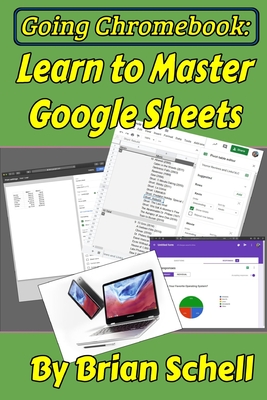
In the first book, "Going Chromebook: Living in the Cloud," we looked at Chromebooks and the various software options available for them, and we decided whether or not the cloud lifestyle was for you. If you've gotten this far, then the answer was a confident "Yes!"
Now it's time to look into specific apps and how to use them. In this book, we look at Google's spreadsheet system, Google Sheets. Sheets competes directly with Microsoft Excel, and it is constantly being added to and improved month after month. If you need to do any calculations, record-keeping, list-making, outlining, or anything else where a spreadsheet "grid" is your tool of choice, then you need to at least consider Google Sheets.
This book begins by introducing you to the differences between Google Sheets and the competing online office suites. We'll also look into Google's free and paid tiers for Google Apps/G Suite, and which one works out best for your needs.
Next, there's a short review chapter on how to manipulate, delete, copy, and do various file operations within the Google Drive file manager.
After that, we'll go through every single command and menu, every toolbar, and all the hidden options of Google Sheets. This is the bulk of the material, and no stone (or menu) is left unturned. This includes pivot tables, conditional formatting, data validation, Slicers, embedding Google Docs and Slides, and all the other special things Sheets can do for you.Lastly, for the things that Google Sheets still just can't do natively, we will look at some of the very best third-party add-ons for Sheets, allowing you to do all sorts of wild tasks. You already know the benefits of working in the cloud-- Now it's time to learn how to get the most out of it!
Note: There is a section concerning keyboard commands which applies only to Chromebooks, but the majority of the content within the book applies to Windows, Mac, and most other computers as well. If you're considering switching to Sheets, but don't have a Chromebook, you'll still find plenty here to interest you.
PRP: 77.42 Lei

Acesta este Prețul Recomandat de Producător. Prețul de vânzare al produsului este afișat mai jos.
69.68Lei
69.68Lei
77.42 LeiPrimești 69 puncte

Livrare in 2-4 saptamani
Descrierea produsului
In the first book, "Going Chromebook: Living in the Cloud," we looked at Chromebooks and the various software options available for them, and we decided whether or not the cloud lifestyle was for you. If you've gotten this far, then the answer was a confident "Yes!"
Now it's time to look into specific apps and how to use them. In this book, we look at Google's spreadsheet system, Google Sheets. Sheets competes directly with Microsoft Excel, and it is constantly being added to and improved month after month. If you need to do any calculations, record-keeping, list-making, outlining, or anything else where a spreadsheet "grid" is your tool of choice, then you need to at least consider Google Sheets.
This book begins by introducing you to the differences between Google Sheets and the competing online office suites. We'll also look into Google's free and paid tiers for Google Apps/G Suite, and which one works out best for your needs.
Next, there's a short review chapter on how to manipulate, delete, copy, and do various file operations within the Google Drive file manager.
After that, we'll go through every single command and menu, every toolbar, and all the hidden options of Google Sheets. This is the bulk of the material, and no stone (or menu) is left unturned. This includes pivot tables, conditional formatting, data validation, Slicers, embedding Google Docs and Slides, and all the other special things Sheets can do for you.Lastly, for the things that Google Sheets still just can't do natively, we will look at some of the very best third-party add-ons for Sheets, allowing you to do all sorts of wild tasks. You already know the benefits of working in the cloud-- Now it's time to learn how to get the most out of it!
Note: There is a section concerning keyboard commands which applies only to Chromebooks, but the majority of the content within the book applies to Windows, Mac, and most other computers as well. If you're considering switching to Sheets, but don't have a Chromebook, you'll still find plenty here to interest you.
Detaliile produsului