- /
- Librarie online
- /
- Carti in engleza
- /
- Technology & Engineering
- /
- Sensors
- /
- Mastering Samsung Galaxy Note 20 and 2O Ultra 5G: Tips and Tricks to Master your New Samsung Galaxy Note 20 and 20 Ultra With illustrations - Derrick Grisham
Mastering Samsung Galaxy Note 20 and 2O Ultra 5G: Tips and Tricks to Master your New Samsung Galaxy Note 20 and 20 Ultra With illustrations
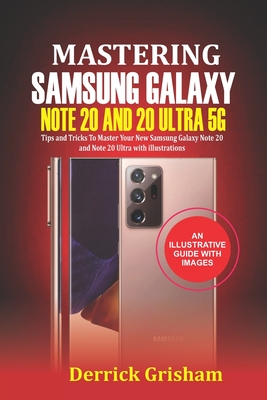
Mastering Samsung Galaxy Note 20 and 2O Ultra 5G: Tips and Tricks to Master your New Samsung Galaxy Note 20 and 20 Ultra With illustrations
This eBook is a guide to get you started with your Samsung Galaxy Note 20 and the Note 20 Ultra. It explains, with steps, how you can configure various settings on the device without the help of any Samsung engineer. For lovers of camera, there is a whole section dedicated to getting more out of the Samsung Camera. The Samsung Note 20 camera can be used to take cinema worthy video and amazing pictures. Every setting you need to get the camera right has been well explained in the book.The book talks about the major settings you need to get you going with your phone.In this book, you will get in-depth knowledge of the following information: How to Get Started on the Samsung Galaxy Note 20 and Note 20 Ultra Experience How to use the Samsung's setup wizard on the Galaxy Note 20 and Note 20 Ultra Requirement to use the Smart Switch on Samsung Galaxy Note 20 and Note 20 UltraHow to Transfer files from your old Android phone to your new Samsung Galaxy Note 20 and Note 20 UltraHow to Transfer your files from your old iPhone to your new Samsung Galaxy Note 20 and Note 20 UltraTransferring files from your Windows and Blackberry phones to Samsung Galaxy Note 20 and Note 20 UltraHow to set up Widget on your Samsung Note 20 and Note 20 UltraHow to customize your home screen's Widgets on your Samsung Note 20 and Note 20 UltraHow to use Easy mode on your Samsung Note 20 and Note 20 UltraQuick Tips and Tricks on the Samsung S Pen How to carry out Air Actions with the Samsung S pen on Samsung Note 20 and Note 20 UltraHow to use your S Pen as a remote control on Samsung Note 20 and Note 20 Ultra How to use the S Pen to take remote photos and videos on Samsung Note 20 and Note 20 UltraHow to write with the S PenHow to Draw and and make annotating on your screen with the S Pen on on the Samsung Note 20 and Note 20 UltraSome important Air command to carry out on the Samsung Note 20 and Note 20 UltraHow to create note on the Samsung Note 20 and Note 20 UltraTips to Taking care of the S Pen on the Samsung Note 20 and Note 20 UltraHow to use Samsung Security and the DeX Feature on the Samsung Note 20 and Note 20 UltraHow to setup Biometric security on the Samsung Note 20 and Note 20 UltraHow to setup Face recognition on the Samsung Note 20 and Note 20 UltraHow to set up your workstation for Samsung DeX How to Use DeX wirelessly on your smart TV How to Use DeX with your PC How to activate the emergency mode on your device on Samsung Note 20 and Note 20 UltraHow to use the Sams
PRP: 84.86 Lei

Acesta este Prețul Recomandat de Producător. Prețul de vânzare al produsului este afișat mai jos.
76.37Lei
76.37Lei
84.86 LeiPrimești 76 puncte

Livrare in 2-4 saptamani
Descrierea produsului
This eBook is a guide to get you started with your Samsung Galaxy Note 20 and the Note 20 Ultra. It explains, with steps, how you can configure various settings on the device without the help of any Samsung engineer. For lovers of camera, there is a whole section dedicated to getting more out of the Samsung Camera. The Samsung Note 20 camera can be used to take cinema worthy video and amazing pictures. Every setting you need to get the camera right has been well explained in the book.The book talks about the major settings you need to get you going with your phone.In this book, you will get in-depth knowledge of the following information: How to Get Started on the Samsung Galaxy Note 20 and Note 20 Ultra Experience How to use the Samsung's setup wizard on the Galaxy Note 20 and Note 20 Ultra Requirement to use the Smart Switch on Samsung Galaxy Note 20 and Note 20 UltraHow to Transfer files from your old Android phone to your new Samsung Galaxy Note 20 and Note 20 UltraHow to Transfer your files from your old iPhone to your new Samsung Galaxy Note 20 and Note 20 UltraTransferring files from your Windows and Blackberry phones to Samsung Galaxy Note 20 and Note 20 UltraHow to set up Widget on your Samsung Note 20 and Note 20 UltraHow to customize your home screen's Widgets on your Samsung Note 20 and Note 20 UltraHow to use Easy mode on your Samsung Note 20 and Note 20 UltraQuick Tips and Tricks on the Samsung S Pen How to carry out Air Actions with the Samsung S pen on Samsung Note 20 and Note 20 UltraHow to use your S Pen as a remote control on Samsung Note 20 and Note 20 Ultra How to use the S Pen to take remote photos and videos on Samsung Note 20 and Note 20 UltraHow to write with the S PenHow to Draw and and make annotating on your screen with the S Pen on on the Samsung Note 20 and Note 20 UltraSome important Air command to carry out on the Samsung Note 20 and Note 20 UltraHow to create note on the Samsung Note 20 and Note 20 UltraTips to Taking care of the S Pen on the Samsung Note 20 and Note 20 UltraHow to use Samsung Security and the DeX Feature on the Samsung Note 20 and Note 20 UltraHow to setup Biometric security on the Samsung Note 20 and Note 20 UltraHow to setup Face recognition on the Samsung Note 20 and Note 20 UltraHow to set up your workstation for Samsung DeX How to Use DeX wirelessly on your smart TV How to Use DeX with your PC How to activate the emergency mode on your device on Samsung Note 20 and Note 20 UltraHow to use the Sams
Detaliile produsului