



- /
- Librarie online
- /
- Carti in engleza
- /
- Computers
- /
- Desktop Applications
- /
- Suites
- /
- Microsoft Office 365/2016 Keyboard Shortcuts For Macintosh - U. C. Books
Microsoft Office 365/2016 Keyboard Shortcuts For Macintosh
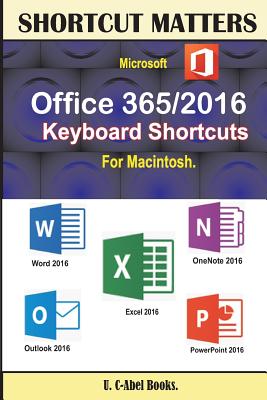
Microsoft Office 365/2016 Keyboard Shortcuts For Macintosh
*Become effective in the way you operate your office 2016 for Mac* Office 2016 Keyboard Shortcuts for Mac is a compilation made to help Mac users improve on the way they handle tasks. You really need keyboard shortcuts to work with if you are a Mac user. Here is a summarized preview of what you will gain from this book: Fundamental knowledge of keyboard, mouse, and keyboard shortcuts. 15 Keyboard shortcuts every computer user should know. WORD: Create or delete a keyboard shortcut in Word 2016 for Mac, Get started, Move the cursor, Select text and graphics, Select text and graphics in a table, Extend a selection, Edit text and graphics, Align and format paragraphs, Set line spacing, Format characters, Insert special characters, Work with fields, Outline a document, Review a document, Print a document, Move around in a table, Resize table columns by using the ruler, Resize table columns directly in a table, Insert paragraphs and tab characters in a table, Use data merge, and Use footnotes and endnotes. ONENOTE: Frequently used shortcuts, Get started, Shortcut conflicts, Insert content, Delete content, Move the cursor, Format tables, Search, Navigate within a notebook, Advanced cursor navigation, and Other commands. EXCEL: Frequently Used Shortcuts, Function Keys, Move and Scroll in a Sheet or Workbook, Print, Enter Data on a Sheet, Work in Cells or the Formula Bar, Format and Edit Data, Work With a Selection, Select Cells, Columns, or Rows, Use Charts, Sort, Filter, and Use PivotTable Reports, Outline Data, Work In Windows, Work In Dialog Boxes and Use Function Key Shortcuts. OUTLOOK: Frequently used shortcuts, Work in windows and dialogs, Use Search, Send and receive mail, Use the Calendar, Work with people and contacts, Manage tasks, Use notes, Edit and format text, Flag messages, contacts, and tasks for follow up. POWERPOINT: Editing text and objects, Moving around in text, Working with objects, Presentations, Changing views, Selecting text, Slide shows, Working in tables, and Windows and dialog boxes. This book guarantees success and it's worth giving a try. Click Add To Cart
PRP: 99.74 Lei

Acesta este Prețul Recomandat de Producător. Prețul de vânzare al produsului este afișat mai jos.
89.77Lei
89.77Lei
99.74 LeiPrimești 89 puncte

Livrare in 2-4 saptamani
Descrierea produsului
*Become effective in the way you operate your office 2016 for Mac* Office 2016 Keyboard Shortcuts for Mac is a compilation made to help Mac users improve on the way they handle tasks. You really need keyboard shortcuts to work with if you are a Mac user. Here is a summarized preview of what you will gain from this book: Fundamental knowledge of keyboard, mouse, and keyboard shortcuts. 15 Keyboard shortcuts every computer user should know. WORD: Create or delete a keyboard shortcut in Word 2016 for Mac, Get started, Move the cursor, Select text and graphics, Select text and graphics in a table, Extend a selection, Edit text and graphics, Align and format paragraphs, Set line spacing, Format characters, Insert special characters, Work with fields, Outline a document, Review a document, Print a document, Move around in a table, Resize table columns by using the ruler, Resize table columns directly in a table, Insert paragraphs and tab characters in a table, Use data merge, and Use footnotes and endnotes. ONENOTE: Frequently used shortcuts, Get started, Shortcut conflicts, Insert content, Delete content, Move the cursor, Format tables, Search, Navigate within a notebook, Advanced cursor navigation, and Other commands. EXCEL: Frequently Used Shortcuts, Function Keys, Move and Scroll in a Sheet or Workbook, Print, Enter Data on a Sheet, Work in Cells or the Formula Bar, Format and Edit Data, Work With a Selection, Select Cells, Columns, or Rows, Use Charts, Sort, Filter, and Use PivotTable Reports, Outline Data, Work In Windows, Work In Dialog Boxes and Use Function Key Shortcuts. OUTLOOK: Frequently used shortcuts, Work in windows and dialogs, Use Search, Send and receive mail, Use the Calendar, Work with people and contacts, Manage tasks, Use notes, Edit and format text, Flag messages, contacts, and tasks for follow up. POWERPOINT: Editing text and objects, Moving around in text, Working with objects, Presentations, Changing views, Selecting text, Slide shows, Working in tables, and Windows and dialog boxes. This book guarantees success and it's worth giving a try. Click Add To Cart
Detaliile produsului