








SOLIDWORKS Simulation 2020: A Power Guide for Beginners and Intermediate Users
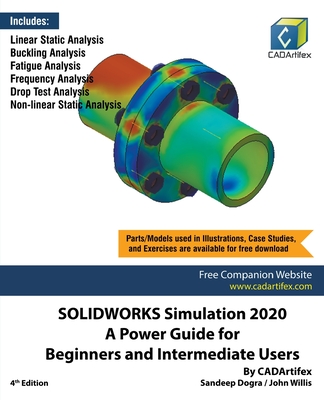
SOLIDWORKS Simulation 2020: A Power Guide for Beginners and Intermediate Users textbook is designed for instructor-led courses as well as for self-paced learning. It is intended to help engineers and designers interested in learning finite element analysis (FEA) using SOLIDWORKS Simulation. This textbook benefits new SOLIDWORKS Simulation users and is a great teaching aid in classroom training. It consists of 10 chapters, a total of 390 pages covering various types of finite element analysis (FEA) such as Linear Static Analysis, Buckling Analysis, Fatigue Analysis, Frequency Analysis, Drop Test Analysis, and Non-linear Static Analysis.
This textbook covers important concepts and methods used in finite element analysis (FEA) such as Preparing Geometry, Boundary Conditions (load and fixture), Element Types, Contacts, Connectors, Meshing, Mesh Controls, Mesh Check (Aspect Ratio check and Jacobian check), Adaptive Meshing (H-Adaptive and P-Adaptive), Iterative Methods (Newton-Raphson Scheme and Modified Newton-Raphson Scheme), Incremental Methods (Force, Displacement, or Arc Length), and so on. This textbook not only focuses on the usages of the tools of SOLIDWORKS Simulation but also on the fundamentals of finite element analysis (FEA) through various real-world Case Studies. The Case Studies used in this textbook allow users to solve various real-world engineering problems by using SOLIDWORKS Simulation step-by-step. Also, the Hands-on Test Drives are given at the end of chapters that allow users to experience themselves the ease-of-use and immense capacities of SOLIDWORKS Simulation. Every chapter begins with learning objectives related to the topics covered in that chapter. Moreover, every chapter ends with a summary which lists the topics learned in that chapter followed by questions to assess the knowledge.
PRP: 454.67 Lei

Acesta este Prețul Recomandat de Producător. Prețul de vânzare al produsului este afișat mai jos.
363.74Lei
363.74Lei
454.67 LeiPrimești 363 puncte

Livrare in 2-4 saptamani
Descrierea produsului
SOLIDWORKS Simulation 2020: A Power Guide for Beginners and Intermediate Users textbook is designed for instructor-led courses as well as for self-paced learning. It is intended to help engineers and designers interested in learning finite element analysis (FEA) using SOLIDWORKS Simulation. This textbook benefits new SOLIDWORKS Simulation users and is a great teaching aid in classroom training. It consists of 10 chapters, a total of 390 pages covering various types of finite element analysis (FEA) such as Linear Static Analysis, Buckling Analysis, Fatigue Analysis, Frequency Analysis, Drop Test Analysis, and Non-linear Static Analysis.
This textbook covers important concepts and methods used in finite element analysis (FEA) such as Preparing Geometry, Boundary Conditions (load and fixture), Element Types, Contacts, Connectors, Meshing, Mesh Controls, Mesh Check (Aspect Ratio check and Jacobian check), Adaptive Meshing (H-Adaptive and P-Adaptive), Iterative Methods (Newton-Raphson Scheme and Modified Newton-Raphson Scheme), Incremental Methods (Force, Displacement, or Arc Length), and so on. This textbook not only focuses on the usages of the tools of SOLIDWORKS Simulation but also on the fundamentals of finite element analysis (FEA) through various real-world Case Studies. The Case Studies used in this textbook allow users to solve various real-world engineering problems by using SOLIDWORKS Simulation step-by-step. Also, the Hands-on Test Drives are given at the end of chapters that allow users to experience themselves the ease-of-use and immense capacities of SOLIDWORKS Simulation. Every chapter begins with learning objectives related to the topics covered in that chapter. Moreover, every chapter ends with a summary which lists the topics learned in that chapter followed by questions to assess the knowledge.
Detaliile produsului