- /
- Librarie online
- /
- Carti in engleza
- /
- Computing
- /
- Hardware and OS
- /
- Windows 10 for Seniors in Easy Steps
Windows 10 for Seniors in Easy Steps
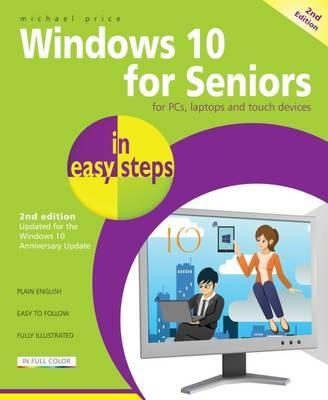
Windows 10 for Seniors in Easy Steps
Windows 10 for Seniors in easy steps, 2nd Edition is written with the older generation in mind. It uses larger type for easy reading and takes you through the essentials a step at a time. It will help you to: Install or upgrade to Windows 10, and customize it to suit your needs
Master the key features of Windows 10 on your Windows device (including PCs, laptops and touch devices)
Find your way around with the Start button, the Start menu, and the new Taskbar
Use the Quick Access section - an area you can personalize with your favorite apps, programs, contacts and websites so you can quickly get to the functions and files you use most often
Search the web with the new Microsoft Edge browser
Learn about apps, find and download them, then resize and move them and maximize, minimize or close from their titlebars
Understand how Cloud storage with OneDrive works, and use it for free storage and sharing files
Talk to Cortana, the voice-activated Personal Digital Assistant which can perform searches on your computer or the web, perform actions like opening apps or documents, or set reminders and more
This guide is filled with tips and shortcuts to help you get the most out of Windows 10, whatever your level of experience and whichever type of PC system you are using.
Covers the Windows 10 Anniversary Update, released August 201680.89Lei
80.89Lei
Primești 80 puncte

Indisponibil
Descrierea produsului
Windows 10 for Seniors in easy steps, 2nd Edition is written with the older generation in mind. It uses larger type for easy reading and takes you through the essentials a step at a time. It will help you to: Install or upgrade to Windows 10, and customize it to suit your needs
Master the key features of Windows 10 on your Windows device (including PCs, laptops and touch devices)
Find your way around with the Start button, the Start menu, and the new Taskbar
Use the Quick Access section - an area you can personalize with your favorite apps, programs, contacts and websites so you can quickly get to the functions and files you use most often
Search the web with the new Microsoft Edge browser
Learn about apps, find and download them, then resize and move them and maximize, minimize or close from their titlebars
Understand how Cloud storage with OneDrive works, and use it for free storage and sharing files
Talk to Cortana, the voice-activated Personal Digital Assistant which can perform searches on your computer or the web, perform actions like opening apps or documents, or set reminders and more
This guide is filled with tips and shortcuts to help you get the most out of Windows 10, whatever your level of experience and whichever type of PC system you are using.
Covers the Windows 10 Anniversary Update, released August 2016Detaliile produsului