




iPhone 14 Pro User Guide Made Easy for Beginners: Essential and Advanced Features of iPhone 14 Pro
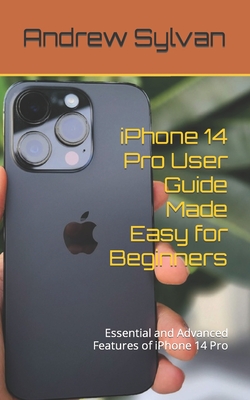
iPhone 14 Pro User Guide Made Easy for Beginners: Essential and Advanced Features of iPhone 14 Pro
iPhone 14 Pro User Guide Made Easy for Beginners Essential and Advanced Features of iPhone 14 Pro The home screen of the iPhone 14 Pro serves as the central hub for accessing your apps, widgets, and other features. It provides a simple and intuitive interface that allows you to navigate through your device efficiently.The home screen displays various app icons representing the applications installed on your iPhone 14 Pro. You can tap on an app icon to launch the corresponding app. The app icons can be rearranged, organized into folders, or placed on additional home screen pages for easy access. App Library Introduced in iOS 14, the App Library is a feature that automatically organizes your apps into categories, making it easier to find and access them. By swiping right on the home screen or by using the search bar at the top, you can access the App Library and browse through your apps in a more organized manner.The Control Center is a convenient feature on the iPhone 14 Pro that provides quick access to various settings and controls without having to navigate through multiple menus. It offers a range of essential features and shortcuts that enhance your device's functionality. TO CONTINUE READING THIS BOOK, GET YOUR COPY NOW!!!
PRP: 147.17 Lei

Acesta este Prețul Recomandat de Producător. Prețul de vânzare al produsului este afișat mai jos.
117.74Lei
117.74Lei
147.17 LeiPrimești 117 puncte
Indisponibil
Descrierea produsului
iPhone 14 Pro User Guide Made Easy for Beginners Essential and Advanced Features of iPhone 14 Pro The home screen of the iPhone 14 Pro serves as the central hub for accessing your apps, widgets, and other features. It provides a simple and intuitive interface that allows you to navigate through your device efficiently.The home screen displays various app icons representing the applications installed on your iPhone 14 Pro. You can tap on an app icon to launch the corresponding app. The app icons can be rearranged, organized into folders, or placed on additional home screen pages for easy access. App Library Introduced in iOS 14, the App Library is a feature that automatically organizes your apps into categories, making it easier to find and access them. By swiping right on the home screen or by using the search bar at the top, you can access the App Library and browse through your apps in a more organized manner.The Control Center is a convenient feature on the iPhone 14 Pro that provides quick access to various settings and controls without having to navigate through multiple menus. It offers a range of essential features and shortcuts that enhance your device's functionality. TO CONTINUE READING THIS BOOK, GET YOUR COPY NOW!!!
Detaliile produsului